Looking for a place to put your printer that is safe, convenient & comes with storage?
Place your WorkForce Pro desktop printer on a stylish cabinet and set it in a common area for easy workgroup access.
This is the EPSON optional medium cabinet that works with the WorkForce Pro Series to adjust size for extra trays, printers and or multifunction machines. It comes with sturdy recessed hinges and rolling wheels with brakes and pegs on top that ensure the machine does not slide off the stand.
Rolling printer stand top with pegs.
Multiple sized printer cabinets fit EPSON Workforce Pro office machines.
Epson Medium Optional Cabinet for WF-C5XXX and WF-M5XXX [C12CFM7067in box]
#LuisTheServiceTech shows off the medium stand for single and multi-function Epson printers.
Medium stand along with the taller cabinet to visually compare (see video below). You are able to add additional paper trays with these stands.
Made to match WorkForce Pro single-function or multifunction printers, these mobile stands are easy to assemble and feature special pins to hold the printer in place. Lockable wheels and built-in stabilizers offer added convenience. There’s even a compartment to store printer supplies.
What are some benefits of using an EPSON® WorkForce Enterprise MFP?
Super Fast
Print speeds of 60, 75 & 100 pages per minute. Fast finishing speeds for standard stacks at 92 ppm, shift stack 71 ppm, stapling 67 ppm, 2/3/4 hole punches at 54 ppm and booklet making at 15 ppm! Averaging over double the page per minutes of older products, the new Epson's are super fast!
Low Cost Inks
up to 50,000 pages before ink cartridgereplacement
extremely fast drying with less intervention
sharp text
bright colors
brilliant business color
fast drying ink
smudge, fade and water resistant archival pigments
Epson has service cost advantage long lasting parts, save 50% on service costs, no need to wait for the printer to cool down to perform maintenance, engineered to decrease downtime and interventions, few moving parts to reduce the number of potential failure points that may require intervention. Has lower costs for supplies, printing and service than compatible laser printers/inkjet printers. The paper (media) does not touch the ink delivery system (print mechanism); inkjet printers support a broader range of paper types. Inkjet printers are less complex with fewer break points and serviceable parts, are reliable and designed for business applications.
Eco-Friendly Energy Consumption
Uses up to 50% fewer consumables and replaceable parts vs. select competitive laser devices. Reduces electric consumption, helps to reduce waste with sharp image quality, consistent cost effective color & fast printing. Helps maximize uptime with high productivity and low cost of ownership. Inkjet technology advantages offer lower energy consumptions because they don’t need heat to melt toner at high print speeds. Inkjet printers produce less waste than comparable laser printers because there are fewer imagining components to replace.
Simple 110 Volt Plug
Plug into a simple wall unit!
110 Volt Machine, 100 Pages per minute.
High Print Speeds
Fast printing to help maximize uptime with high productivity printing and low cost of ownership. Heat Free Technology is unique next generation with high resolution print head, fast print speed, low energy consumption, no warm up time, fast first print paper, commercial grade reliability. Extremely fast drying time! Low ink cost, less intervention, sharp text, bright colors, brilliant business color, fast drying ink, smudge fade and water resistant archival pigment inks.
PRINT | COPY| SCAN | FAX
Buyers Laboratory Test Results (BLI Reliability certified 2018) - Workforce Enterprise c20590 demonstrated advantage over competitive laser models tested. Less downtime to change user replaceable items over 1M page test vs laser competitor, less consumables waste generated vs competing laser products.
#LuisTheServiceTech shares his tips
"When you are installing your machine, make sure you have blinking lights at the network port, otherwise you will get time out and not be able to find the machine when setting up the driver green is always on, yellow is for communication".
Please subscribe for more copy and print trouble shooting
Platinum Epson Dealer in Southwest Michigan offering Service Repairs, Copier / Printer Fax/Scanner Ink and Toner Sales.
Feeling chilly but don't want to waste energy by turning up the heat at work?
Stop making your staff shiver!
Let the take off their scarves and relish in the warmth this winter! Now thanks to Precision Core Hear Free Technology the money you save switching your business to sustainable EPSON printer copiers means you don't have to worry when you turn up the thermostat!
This entry-professional all-rounder meets any and every business requirement.
Despite its compact size, this economical device includes many valuable functions. ECOSYS makes your office more sustainable and efficient Kyocera solutions always work with the environment in mind, but the ECOSYS range do this more than any other product on the market. Contact a sustainable copier and printer dealer in Southwest Michigan to learn more.
Below are specs and how to videos posted by KYOCERA. LFW Office Solutions based in Kalamazoo, Michigan offers lease options to those looking to buy a new or used Kyocera.
Kyocera PA2100cwx KX driver download and installation
Kyocera will take you step by step through the whole process of locating, downloading and installing the enhanced KX Printer Driver on your PC supporting the Kyocera PA2100cwx printer.
NOAA predicts the "Mitten State" is going to see wetter-than-average weather conditions statewide for December through February. Part of the state is expected to have an increased chance of colder-than-normal temperatures.
Michiganders are in for a nasty slick winter & with that, comes the cold.
Bust out the beanies and gloves, be ready to bundle up!
With the cold comes issues for business owners, HR departments, and employees.
Cold wet conditions are in the forecast this 2022 / 2023 winter season [December - February] with Southwest Michigan seeing an increase of snow and ice compared to previous years.
Cold Offices Linked to Lower Productivity
Published August 7, 2015 by the Association For Psychological Science online
"...Cornell University psychological scientist Alan Hedge determined that workers are more efficient when they’re warm...women were significantly more productive when their office was kept at a warmer temperature.
At 77° F (25° C), the women were typing 100% of the time with a 10% error rate. But, when the temperature dipped to a cool 68° F (20° C), typing rates plummeted and error rates rose to 25%...comfortable thermal zone saves employers about $2 per worker, per hour,” says Hedge.
Overall, Hedge and colleagues estimated that companies could save up to 12.5% of their wage costs per worker by raising the temperature a few degrees...
A new study, published in Nature Climate Change, suggests that women’s average metabolic rate is 20 to 32 percent lower than this; a finding that helps explain why there’s so much grumbling about frigid offices."- PsycologyScience.Org
Study Shows Freezing Office Temperatures Affect Women's Productivity
MAY 26, 2019 | Heard on Weekend Edition Sunday
"...the WZB Berlin Social Science Center, took 543 German college students, put them in a room and made them take tests at different temperatures — ranging from as low as 61 degrees to as high as 91 degrees.
The study showed a difference in performance between men and women depending on the temperature.
As the temp went up, women did better on math and verbal tasks, and men did worse," Chang says. "And the increase for women in math and verbal tasks was much larger and more pronounced than the decrease in performance of men."
In other words, the warmer the room, the better the women did on the tests overall. Our research says that even if as a business you only care about profit and productivity, you should take the comfort of your workers into account, as it will affect the bottom line"
NPR's Audrey Nguyen and Lynn Kim produced and edited this story for broadcast. Wynne Davis produced it for digital - NPR.ORG
The U.S. Occupational Safety and Health Administration (OSHA) doesn't mandate employers to maintain specific temperatures in the workplace, but it recommends that employers keep the thermostat between 68℉ and 76℉.
Heating is usually the most significant energy cost in a workplace, accounting for up to 40% of energy use in a non-domestic building.
How can you save energy during different times of the day?
Check to see what times of day and the week that rates are at their highest.
In the summer months, rates tend to be increased during business hours; winter times may see rate increases also which is one reason that office managers may keep temperatures lower while employees are at work.
"...new, voluntary plans that reward you for using less energy when energy demand and costs are at their highest. Unlike the Residential Standard plan, where you’re charged a fixed fee per kWh of electricity used, 24 hours a day, 7 days a week, the Time of Use plans offer different electrical rates in different months, on different days of the week and at different times of day."- Consumers Energy Frequently Asked Questions
Preventing heat loss through topping up insulation and blocking draughts can significantly reduce heating costs, so it's a good place to start improving energy efficiency.
Find alternate options to high energy consuming office equipment.
LOCAL PLATINUM EPSON DEALER FOR SOUTHWEST MICHIGAN : LFW OFFICE SOLUTIONS 3800 WYNN ROAD KALAMAZOO MICHIGAN 269-888-2770 WWW.LFWOFFICESOLUTIONS.COM
Epson Inkjet Heat-Free Technology vs. Laser
Laser and inkjet printers may look the same on the outside, but it is what’s on the inside that counts.
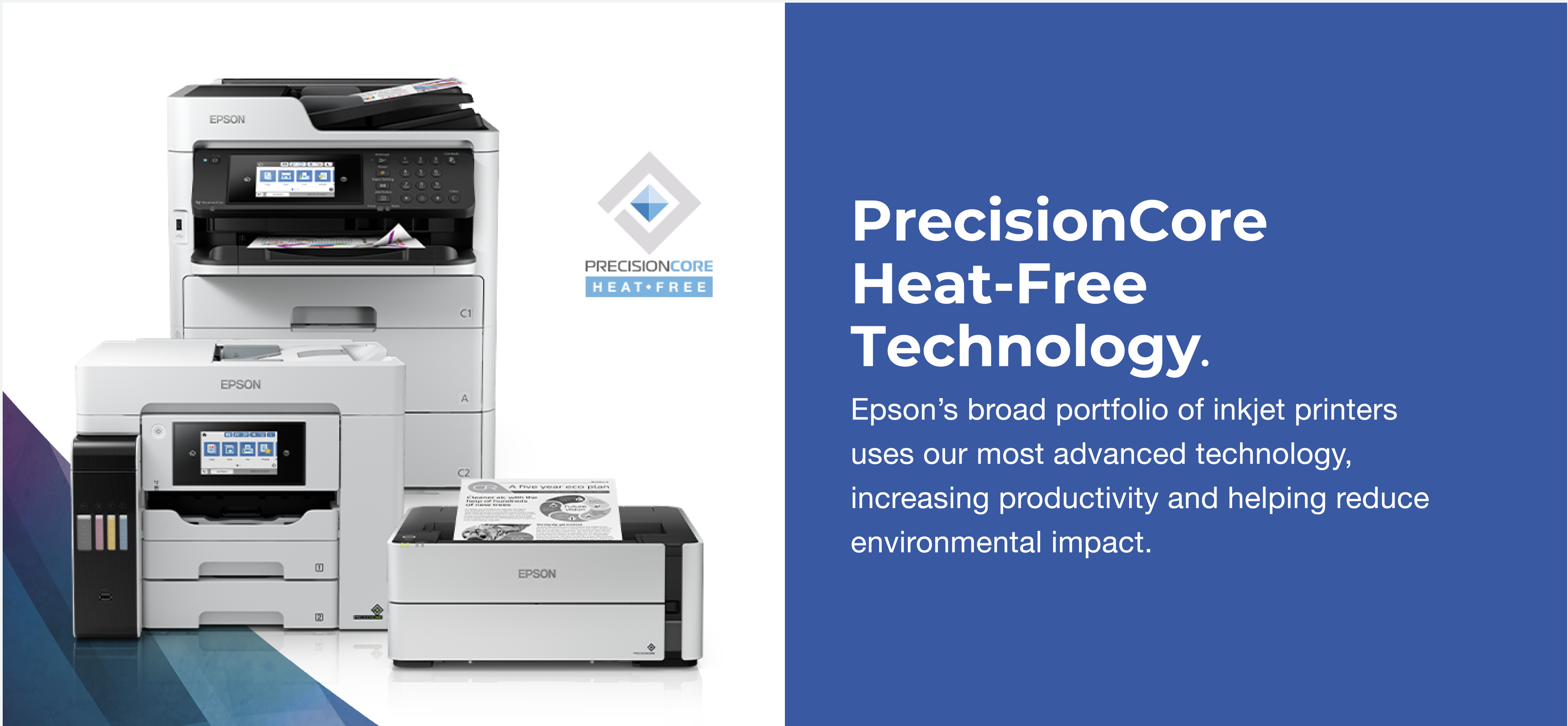
Switching to Heat-Free Technology uses no heat in the ink ejection process and delivers low power consumption.
Laser Printing
Typically this is a complex process involving separate stages. It requires preheating the fuser, and again uses heat to fuse the toner to the paper.
Inkjet Printing
This method is comprised of only three stages to achieve a printout.
Epson Inkjet Heat-Free Technology vs. Thermal Inkjet
Within inkjet printers, there are two main technologies: thermal inkjet, which uses heat, and Piezo Inkjet, which is Heat-Free.
Thermal Inkjet
This technology applies an electrical current to warm the ink to fire it through the printhead.
Epson Heat-Free Technology
This does not require heat in the ink ejection process. Instead, pressure is applied to the Piezo element, which flexes backwards and forwards firing the ink from the printhead.
The Benefits of Heat-Free Technology
Save time with consistent high-speed printing
Heat-Free Technology requires no heat to warm up when it is switched on or awoken from sleep. This means printing starts immediately.
Low power consumption saves energy and money
Heat-Free Technology has low power consumption because it does not use heat to warm up. Inkjets have no fuse unit to heat.
Fewer replacement parts
Laser printers typically have more consumables and require periodic replacement of the drum, transfer belt and fuse in many cases. Thanks to Heat-Free Technology, our inkjet printers use fewer parts that need replacing.
The Heat-Free structure of Epson inkjet printers means that there are fewer parts that can fail, which reduces the amount of intervention required.
Conserving heat to minimize our impact
National Geographic Explorer and ecologist, Dr. Isla Myers-Smith, explains the effects of climate change on the tundra ecosystem, highlighting the importance of both large-scale solutions and everyday actions of individuals as we look towards a sustainable future.
Hedge, A., Sakr, W., & Agarwal, A. (2005, September). Thermal effects on office productivity. In Proceedings of the Human Factors and Ergonomics Society Annual Meeting (Vol. 49, No. 8, pp. 823-827). SAGE Publications.
IJzerman, H., & Semin, G. R. (2009). The thermometer of social relations mapping social proximity on temperature. Psychological Science, 20(10), 1214-1220. doi: 10.1111/j.1467-9280.2009.02434.x
U.S. Occupational Safety and Health Administration National Oceanic and Atmospheric Administration U.S. Department of Commerce.
— LFW Office Solutions - Kalamazoo, MI (@LFWCopiers) November 18, 2022
Went into the radio station during the blizzard of Southwest Michigan on Friday - avoided the 20 car pile up on 131 after (TY backroads) and where able to get our newest advertising spot recorded! It starts today! Have you heard it on WKZO AM 590 - 106.9 FM? #kalamazoopic.twitter.com/x0hp9R1usA
— LFW Office Solutions - Kalamazoo, MI (@LFWCopiers) November 21, 2022